
Stream me up: Why you should stream during the corona crisis
Dennis Hartmann
25 March 2020
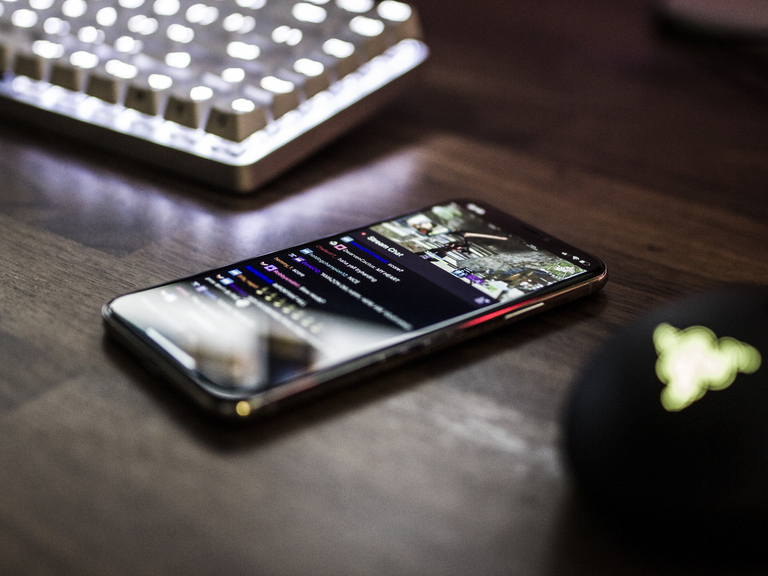
Whether for the professional presentation of events, webinars, training courses, product releases or meetings: the market offers a range of free and commercial live streaming solutions. But which is the right software for your use case? In this article, we look at various options.
Digital communication has gained enormously in importance during the coronavirus crisis: More and more organisations are reaching their target group via webinar, livestream or webcast. The cultural sector in particular has found an alternative way out of the contact ban (#kulturtrotzcorona) and is experiencing an unprecedented streaming boom - a great example of how the crisis doesn't just have to mean a standstill, but can also unleash new ideas, energy and formats. United we stream!
This can be realised with the help of various technologies, and the selection of free do-it-yourself live streaming platforms is extensive thanks to the social media top dogs. At the same time, there is a wide range of providers with paid functions. Which solution is the right one initially depends on your concept for the event: How much interaction is desired? Which features are essential for you? How should the target groups be made aware of the event? At the same time, your technical equipment also plays a role, as does the question of how careful you need to be when it comes to data protection.
YouTube Live
Google has summarised all the important information for live streaming on YouTube at the following link: support.google.com
It is interesting to note that webcam users can start a stream directly, but for streams via mobile devices, the YouTube account must have at least 1,000 subscribers so that the mobile phone can be used for recording. Encoder streaming must be set up so that screen sharing works and not just one person is shown in front of the camera (see the link above for more information). All YouTube streams under a length of twelve hours are automatically archived on the platform.
An overview of third-party tools to be integrated, such as Discord, StreamElements or Streamlabs, is also summarised here:
support.google.com
Instagram Live or Facebook Live
The Futurebiz article summarises the advantages of live streaming on Instagram and Facebook well. Here, too, the initial question is which target groups are present, how they should be informed in advance of the planned live stream via which other channels and how or how many resources you have. Who will moderate the stream and answer viewers' questions? How dynamically can you respond to feedback and questions? These are just some of the aspects that need to be considered for Facebook and Instagram.
Live streaming via Google Hangout Meet
If you already use Hangouts Meet together with Google Calendar in your work, you can create so-called view-only live streams and make them accessible via a link. Up to 100,000 viewers can watch the stream, according to Google at: support.google.com
This is worthwhile if you want to demonstrate training courses or software workflows lasting several hours and preferably only want to respond to written chat questions from users in parallel.
Periscope app
If you want to broadcast live videos to the world directly via app, you can use Periscope to interact with target groups. Live videos from different locations can also be searched for from different topic categories. Live videos can be shared immediately on Twitter or other social networks.
play.google.com
apps.apple.com
Vimeo Enterprise (for a fee)
The video portal Vimeo offers companies a comprehensive live streaming service for full HD streams. Features include password-protected access to the stream, display maps of information within the stream, a showcase page with a clear presentation of live and on-demand videos, various analysis tools for evaluating location and access, as well as interaction tools for live polls, graphic overlays and audience chat.
A demo is available here .
Alternatively, the Vimeo Premium account offers unlimited live streaming options, see: https://vimeo.com/de/upgrade
Dacast (for a fee)
DaCast offers monetisation of the streams. The videos are stored in the cloud, can be modified for companies and individuals and includes live video analyses, live countdown to the start of the stream and Facebook streaming. The live stream can also be embedded on your own website to drive users to your own web presence.
Further information and a free demo version can be found here: dacast.com
The providers mentioned here are ultimately only a selection that are suitable for different live streaming usage scenarios. It certainly makes sense to try out the providers mentioned, check the terms and conditions, data protection / terms of use accordingly and thus find the suitable service for the respective live streaming.
About the author
Dennis Hartmann is a project manager at 3pc. He specialises in the management of digital events and the development of campaigns and products with an audiovisual focus. Hartmann studied media and art studies at the Technical University and University of Fine Arts Braunschweig and specialised in audiovisual media cultures and digital media technologies in the field of news and information technology at the Institute for Media Research (IMF).